
My Magento SEO Is Suffering - What Can I Do to Fix It?
Written by 

I talk a lot about WordPress SEO and general, platform-agnostic SEO, but I don't often turn my attention to the other frameworks. Partly that's because I spend most of my time using WordPress, but that's not really an excuse to ignore a whole section of my audience, right?
Magento may not be as popular as WordPress, but there are still hundreds of thousands of websites using it, and those websites deserve good SEO, too. So, if your SEO is suffering and you're running Magento, here are my biggest suggestions on where to look and what to do.
Key Takeaways
- Magento's default faceted navigation creates duplicate URL problems; switching to human-readable URLs with permanent redirects helps fix indexation issues.
- Magento is notoriously heavy out-of-the-box; implementing caching solutions like NGINX, PHP caching, or Cloudflare significantly improves performance and Core Web Vitals.
- Thin product pages hurt SEO; adding a few hundred words of unique content per product page improves keyword hooks and search visibility.
- Unnecessary pages like cart, checkout, and internal search results should be noindexed to avoid wasting crawl budget on irrelevant content.
- Platform migrations between major Magento versions can tank SEO if URLs change; always map URLs beforehand and implement redirects accordingly.
Should You Switch Away from Magento?
Before we begin, I want to address one particular elephant in the room. If you have persistent SEO issues, and you think your choice of CMS is to blame, it's reasonable to wonder if you should consider switching away.
The truth is, relatively little of what might be holding you back, SEO-wise, is related to the platform you're using. Only things like performance, load times, and optimizations matter. Everything else comes down to best practices using content, links, and metadata effectively.
Some people feel like Magento has been on a downward trajectory ever since Adobe bought it back in 2018 and renamed it the Adobe Commerce platform. I don't know how true that actually is, but I do know that a lot of people aren't exactly fans of Adobe, so if this is the impetus you need to switch, by all means, go for it.
Just be aware that switching your platform alone isn't going to solve your problems, and it might bring up new ones, so be prepared for a lot of troubleshooting and optimization along the way.
Oh, and one other thing before we dig in: SEO takes time, both to build and to change. If you identify any of the below as a problem and fix it, don't expect results within hours or days. It can often take weeks before these kinds of changes are fully reflected in your search rankings. In the meantime, don't stop building, don't stop publishing, and don't stop plugging away at growth and marketing. It will snowball eventually. If you run an ecommerce site, you may also want to review common WooCommerce SEO issues for additional context on platform-specific optimization challenges.
Magento SEO Problem #1: Server-Side Performance Problems
Probably one of the most common issues I see with Magento installations is performance issues. If you check using Google's various tools like PageSpeed Insights, your Web Vitals report, or Lighthouse, and you see all sorts of delays and errors, this is where you're going to want to start with your optimization efforts.
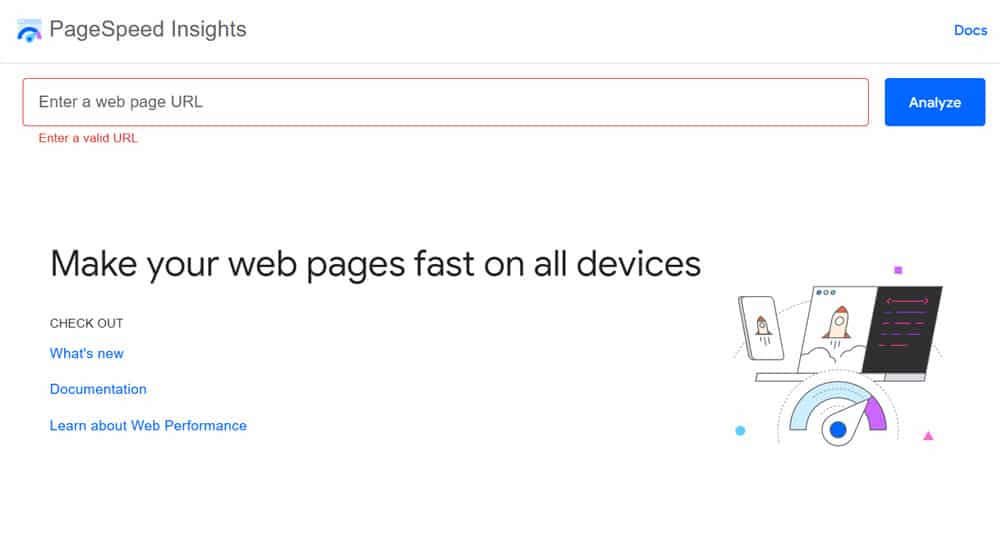
The truth is, Magento is notorious for being a pretty bloated, clunky, and heavy piece of software out of the box. You can hammer it into shape and get it purring like a dream, but it takes some real work.
Start by setting up some caching. NGINX caching, PHP caching, object caching; any kind of caching you can do will reduce calls to the server and thus any server-related delays your visitors experience. Since those delays are one of the leading drivers of bounce rates, and they're part of the Core Web Vitals, it's important to be able to load up as fast as possible. If you're also running WooCommerce elsewhere, it's worth knowing how much server memory your store actually needs to keep things running smoothly.
A simple option, if you're willing to pay a bit to do it, is Cloudflare. Yes, Cloudflare has issues of its own, but it's one of the easiest options to have edge caching up and running with minimal tinkering.
Pro tip: Set up some way to clear the caches on demand. Caching issues can cause all sorts of delays and problems implementing new features or content, but if you have to dig through different configs and dashboards to find the out-of-the-way cache-clearing links, it's going to be tedious. If need be, pay a dev to whip up a script that will clear them all for you.
One of the biggest issues with Magento is the default URL structure, which uses faceted navigation and URL parameters. This is fine in a technical sense, but it causes all kinds of problems with indexation, navigation, and crawling.
In general, you want static, human-readable URLs as much as possible. You can change this in Magento, but be aware that it will probably hurt your SEO even more for a while before everything settles down.
That's because, as you likely know, SEO is based on the URL. Every detail Google knows about a page is associated with that page's URL. A different URL is a different page, and if you change a page's URL, it's effectively an entirely new page.
The biggest issue with faceted navigation is that you end up with one page that has multiple URLs pointed to it. Your Air Jordans live on example.com/products/mens/shoes/jordans.html, but they can also be found on example.com/products/sale/jordans.html. That sets you up for duplicate page issues, which are a huge problem. Parameters can make things worse, too, though Google is usually smart enough to ignore most basic filter parameters. There are also many unconfirmed SEO ranking factors worth keeping in mind as you audit your URL structure.
This is where redirects come in. You'll need to make your changes to a human-readable URL structure, and then you'll need to implement permanent redirects from old URLs to new URLs. You still lose a bit of value, especially from links, but at least you retain most of it rather than losing everything.
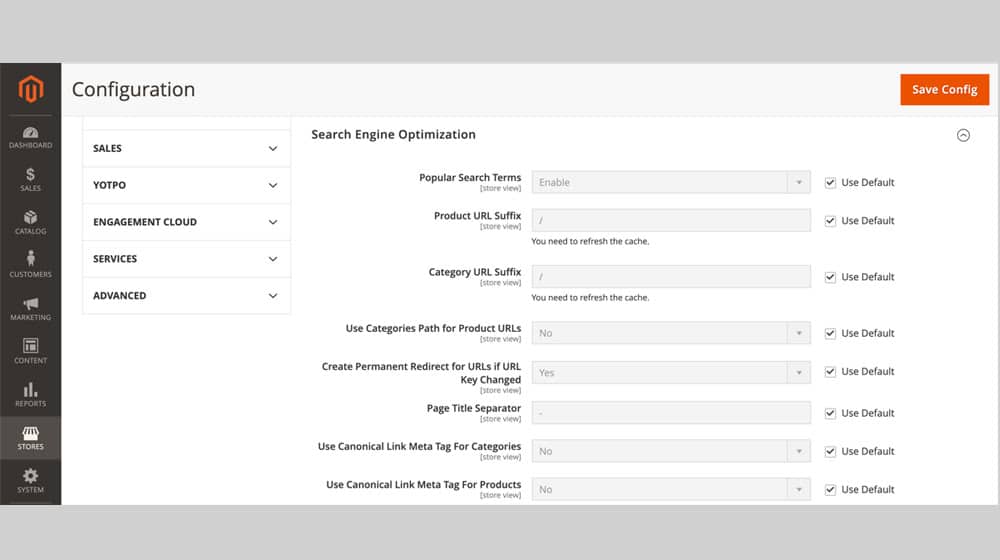
You may also want to do things like eliminate /category/ from your URLs entirely. Depending on the size and organization of your site, it might not be useful to have. Or, it might be critical for organization and navigation. Don't toggle it off needlessly.
There's not necessarily one perfect URL structure for Magento sites, so take some time to think about your options, what works best for your site and your navigation, and what you can implement with as little change as possible. It's also worth tracking any content updates you make along the way so you can measure the impact of structural changes over time.
Magento SEO Problem #3: Thin and Empty Product Pages
Magento is, first and foremost, an e-commerce platform. Chances are, you wouldn't be running Magento if you weren't running a storefront.
The trouble here is that product pages tend to be very thin and duplicated by their very nature. Just look at how you can search Amazon for a product and get dozens of identical listings from no-name brands.
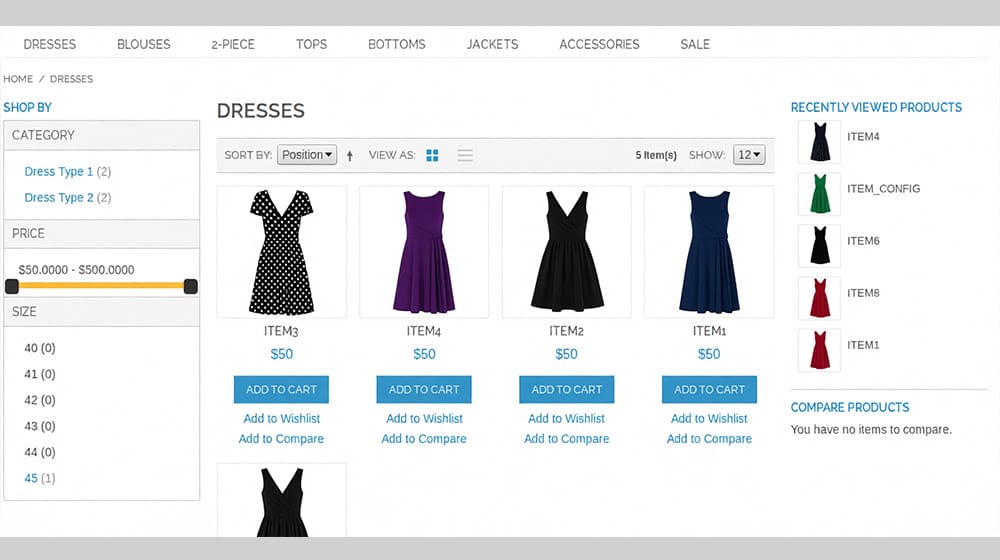
It's part of the nature of dropshipping and similar e-commerce; you're importing a lot of your information from product catalogs and wholesalers. You have the same SKUs, the same model numbers, the same product photos, the same technical specifications. There's no real way to change any of that to stand out without hurting discoverability or losing accuracy.
The goal here is to spin up a few hundred words of unique content about each product for each product page. It doesn't need to be high art, and it doesn't really even need to have anything unique to it. But that extra bit of content serves to help your product page stand out, can reiterate information for people who missed it in the specifications, and gives more hooks for keywords and SEO to take effect. If you're concerned about how thin your pages are, our Thin Content Detector can help you identify which pages need the most attention.
Magento SEO Problem #4: Poor Internal Linking
Internal links are how people and search engines flow through your site. Improving your internal linking helps people stick around and explore relevant content and pages, and it helps search engines understand the connections between different pages.
There's a lot you can do here. Some of it can be done automatically, and some needs more individual work.
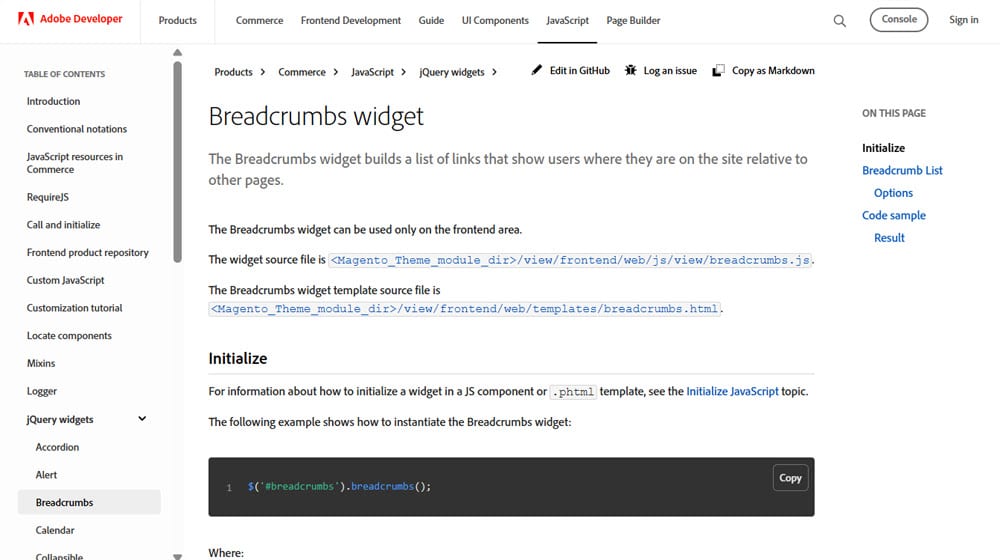
Activate breadcrumbs. Breadcrumbs show how deep in a site a user is and give them a quick path back to higher-level category or topic pages. It also helps Google understand your site's overall structure. Magento has a breadcrumbs widget you can use.
Set up a related products recommendation box. Users who land on a product but aren't sure they want that one can use the recommended products to view similar products that might be more in line with what they want. You can also use this for cross-sells and up-sells. This is also something Magento has options for.
Use sitemaps. Sitemaps are more of a technical thing for the search engines to view, but they can be set up automatically and help the search engines know when new pages are added or when old pages are changed. Make sure yours is set up and working.
On the more manual end, you'll need to add internal links to other pages as you create content. For product pages, this can tie in with the descriptions you write (mentioning "hey, this product goes great with X as well!" with a link), but it's also important for your blog. Blog posts should live in clusters under the new-ish entity SEO paradigm, and the key to that is linking between related pages to establish those connections. Tools like InLinks can help automate and manage your internal linking across your content.
Magento SEO Problem #5: Page and Content Issues
A huge amount of SEO just comes down to your content, which means sooner or later, you're going to need to do a full content audit.

There are a lot of guides (and services for content audits), so rather than go through the entire process step by step, I'll just talk about what you should look for and what you should do when you find it. Make use of tools like Ahrefs, Screaming Frog, Greenflare, and the like to pull information about your pages, and inspect them for signs of these issues.
- Duplicate Content. If you have multiple pages that have the same content, you need to pick one to be the canonical page and canonicalize it. Redirect the others to it. Note that this also applies if you've syndicated your content elsewhere; other sites often have the option to canonicalize your version.
- Copied Content. Similar to duplicate content, except instead of copies of your content in multiple places, your content is copied from someone else. You can't avoid some of this with product pages, but with all of the non-product technical data, you need your content to be unique.
- Empty, Low-Content, or Thin Pages. Ideally, you'll have already addressed this with your product pages, but if you have general blog posts and other pages that are very light on content or nearly empty, you need to deal with them. If they have traffic or links, fluff them up. If they don't, consider just nuking them and reusing the keywords in better content.
You can also look for outdated content you can refresh, and other general content audit tasks, but those are the big issues you want to address ASAP.
Magento SEO Problem #6: Unnecessary Indexation
Another related problem with Magento's navigation is that there are a ton of relatively unnecessary pages that end up indexed when you don't really need anyone to ever see them. This isn't unique to Magento, but Magento is a bit worse about it than other CMS systems.
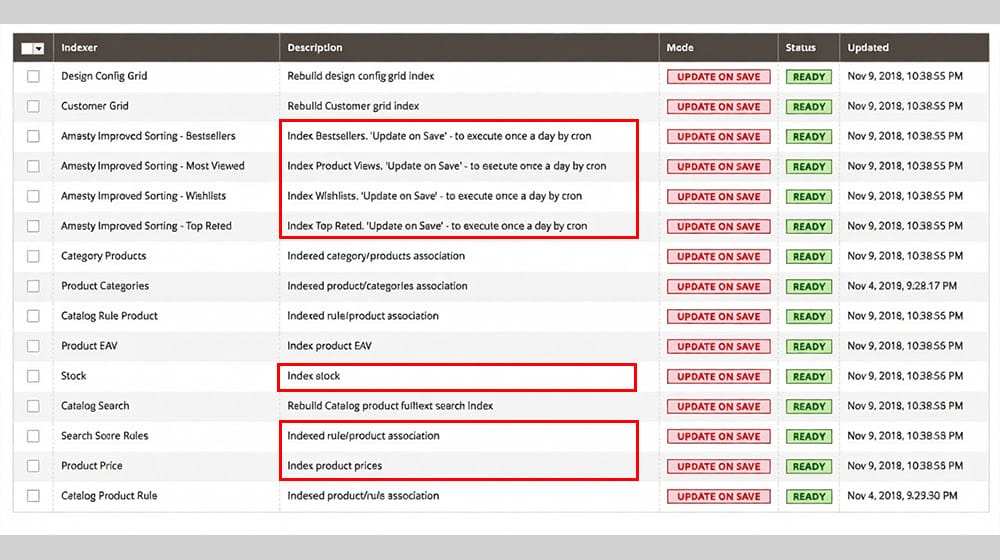
Fortunately, the simple solution here is to add pages like these to noindex lists so they don't end up clogging up the search engines (or eating your crawl budget). Pages like internal search result pages, checkout pages, cart pages, customer-specific pages, paginated URLs, and similar don't need to be indexed. If you're struggling with content not showing as indexed on Google, unnecessary pages competing for crawl budget are often part of the problem.
Magento SEO Problem #7: Lack of Structured Data
Another tool you can implement to improve your Magento SEO is Schema. Adding Schema tags to your pages, especially product pages, helps ensure consistent and accurate data in the search results, and can help make your site more visible to the people searching for things related to that data.
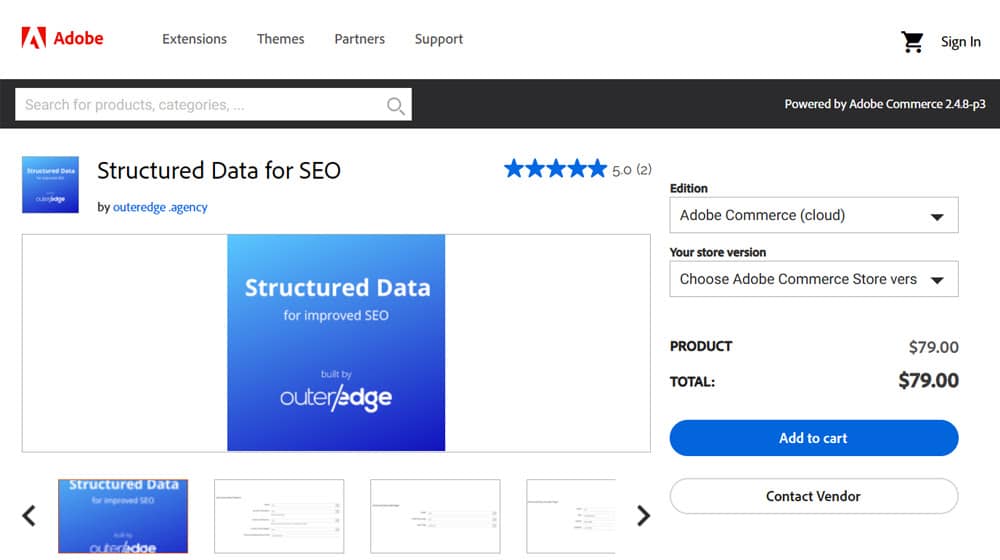
Magento does some Schema management by default, but it's often not great. You can pay for a module to do it for you, though, of course, that means paying money for the feature. If you're comfortable learning what Schema is and how it works, you can implement it manually instead. That's what I would do, but I understand if it's intimidating enough to want a module instead. For example, our Organization Schema Generator or Software Application Schema Generator can help you build the right markup without needing to write it from scratch. You can also use Google's structured data tools to validate your markup once it's in place.
Magento SEO Problem #8: A Bad Migration
This last one isn't likely to be your problem unless you had decent SEO before, but it tanked recently, likely during a migration across major versions. This happened a lot back when Magento 1.9 updated to 2.0, for example.
What happens is, when you upgrade across a major version, sometimes the way the CMS handles things like navigation changes. You have all of the same product pages, but the URLs are different, and to Google, that means your whole site effectively changed. You can use a URL compare tool to spot exactly what's shifted between versions.
Before doing a migration or upgrade, make sure you have a URL map and know if anything is going to change. If it does, either implement redirects or change it back. This can be a good time to restructure your site as well, if it's already changing, just be prepared for the shake-up. If you're also considering migrating to a different platform entirely, many of the same principles around URL mapping and redirects apply.
Still Having Problems? Let Me Know!
I am not what you would call a Magento expert, but I've definitely been knee-deep in code before, and I know my way around SEO audits. I put together this list based on my experiences and the common complaints I've seen about Magento SEO, but it certainly doesn't encompass every possible problem you could have. So, if you've gone through this list and you haven't found the solution to your problem, let's talk about it! You can leave me a comment, or you can drop me a line directly. I'm always happy to do what I can to help out.

Written by James Parsons
Hi, I'm James Parsons! I founded Content Powered, a content marketing agency where I partner with businesses to help them grow through strategic content. With nearly twenty years of SEO and content marketing experience, I've had the joy of helping companies connect with their audiences in meaningful ways. I started my journey by building and growing several successful eCommerce companies solely through content marketing, and I love to share what I've learned along the way. You'll find my thoughts and insights in publications like Search Engine Watch, Search Engine Journal, Forbes, Entrepreneur, and Inc, among others. I've been fortunate to work with wonderful clients ranging from growing businesses to Fortune 500 companies like eBay and Expedia, and helping them shape their content strategies. My focus is on creating optimized content that resonates and converts. I'd love to connect – the best way to contact me is by scheduling a call or by email.







Comments