Should You Noindex Your Out-of-Stock Product Pages?
Written by 
Running an online store feels like you're constantly running back and forth putting out fires. Finding solutions to new problems happens constantly, but so does finding new problems.
Managing inventory is one of those problems. Running out of a product and having to handle being out of stock is tiresome. It's more of a problem than it sounds like off the bat.
- If a customer wants to buy a product and finds it out of stock, they'll be annoyed and frustrated.
- If a customer sees indication that the product is in stock and finds it still out of stock, they'll be even more annoyed.
- Even if you restock, if you sell out quickly, many customers will never see the product back in stock again.
If you're getting a bunch of traffic to product pages that are sold out, it can feel like a waste. I've talked to a number of business owners in the past about their strategies for handling this situation, and the temptation to just noindex the page until the product is back is strong.
I'm here to say that's the wrong move, so let's talk about why.
What NoIndex Does
First, let's talk about what the noindex tag does when you use it on a page.

The noindex tag is a meta tag that goes into the meta header of a webpage. It's a directive specifically to Google, though other major search engines like Bing and DuckDuckGo also obey it.
There's key point number 1: it's a directive, not a prohibition. In order for noindex to work, the search engine still needs to be able to crawl the page. That's why Google's developers page for noindex specifically says you can't block their bots using robots.txt if you want noindex to work.
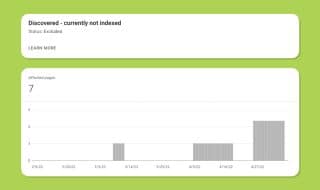
When a Google search crawler visits a page, the first thing it checks is the header of the page. If it sees a noindex tag there, it stops what it's doing and leaves. It also carries a message back to Google HQ that says "this page should not be in the search index."
This doesn't necessarily happen immediately. It can take a day or two, or a week or two, or even a month or two. I've heard tales of sites putting noindex on a page and still having the page indexed for as much as 90 days! That said, the vast majority of the time, the page will drop from the search results within a week, at least in my experience.
There are a few quirks to noindex that can be meaningful.
- It doesn't prevent people from finding or linking to your page. It just prevents the page from showing up in search results; it can still be found directly, through on-site navigation, from social media posts, and in other ways.
- It doesn't prevent Google from knowing about the page. In fact, they have to know about the page to know not to index it. It's kind of like an email out-of-office notification; people don't know not to email you until they've tried and received the message.
- It doesn't prevent bots from visiting the page. Google can still crawl the page; they just won't put it in the index. Google will also occasionally re-crawl the page to check if the noindex tag has been removed, since sometimes you may have put it there accidentally.
- It doesn't prevent malicious, poorly-coded, or disobedient bots. It's a voluntary directive that Google and the big search engines obey because they require the goodwill of site owners to function. There's no technological reason a bot couldn't just ignore it, and many do.
In the context of today's discussion around out-of-stock products, it's a sensible-seeming potential use case. If your product is out of stock, it doesn't make sense for it to keep showing up in search results, right? If no one can buy it, why promote it? I'll dig through that as we go.
Why You Shouldn't NoIndex Every Out-Of-Stock Product Page
Noindex is generally meant for long-term or indefinite removals of pages.
That's not necessarily a problem if your product page is never coming back and there's nothing of value on it to keep.
But what if you want the page to come back when you get a restock? There's a problem.

It can take weeks or months for a page that was noindexed to come back.
That's not really something you want when you're hoping for people to come by and purchase your newly restocked product! In fact, it's actively harmful, since now any of your competitors can offer theirs, and yours won't even show up in the search results.
There are some good reasons why you might want to keep an out-of-stock product page in the Google search index, and "the product might come back" is just one of them. You also lose the SEO value of reviews, you lose any content on it that was benefiting your site, you lose historic value, and more.
Alternatives to NoIndexing and Removing Out-Of-Stock Products
So, what can you do instead of noindexing your out-of-stock product pages? A lot depends on the page itself, but here are some general ideas.
Set up a "Notify me" system for potential restocks.
Customers who land on your product page from Google search are interested in the product. They might not all be there to buy (they could be looking up stats or usage information, for example), but it's valuable to have the page there even if the product isn't available.
For those who want to buy, but can't when they arrive, it can be useful to set up a restock notification option. You see this a lot these days, since it's easy to implement with a plugin on platforms like Shopify, and it can recover sales that otherwise might have been lost.

This is excellent for products that are out of stock temporarily but will be restocked in the near future. But if your products are unlikely to be restocked, it might be better not to get your customers' hopes up.
Offer potential alternative products on the page.
Another option is to build an infobox with potential product alternatives. This could be as simple as different colors of the same product that are still available, to newer (or older) versions of the same product, to similar products for the same purpose.

Obviously, you can't substitute some products, and some substitutions might not be close enough for every customer's purpose, but it can recover some sales that would otherwise be lost.
Creating an old product archive section.
I've seen this a few times on some sites, particularly sites that thrive on FOMO. Sites that, for example, produce unique, time-limited plushies or other collectibles might use this technique. Creating an "archived products" or "retired products" section can keep any value the product pages had, while making it clear that the actual product won't be coming back.

I wouldn't recommend this for something generic. You're not going to archive the product pages for a particular kind of zinc screw on your hardware store site, you know?
Just delete the page.
Sometimes the simplest option really is the best. Just delete (or unpublish) the page entirely.

Google will discover that it's no longer there and will remove it from the index naturally; it doesn't bring you any benefit, but if you have plenty of other products and a relevant redirect in place, you don't need to mess around with custom solutions.
Don't Save Every Discontinued Product Indefinitely
I know I mentioned one of the options is an archive of old products, but that's really meant just for certain kinds of stores. There are a lot of different kinds of storefronts out there, and if there's zero chance of a product coming back and no reason for the page itself to still exist, there's no sense in keeping it.

So, what are good reasons to keep a page, versus just getting rid of it?
- If it's recent enough to still have traffic coming to it, that you can redirect to a more useful place. If people are visiting for the product, having a page saying it's unavailable and giving alternatives is a lot better than a 404 or a redirect to the store front page.
- If there are valuable reviews or other kinds of content on the page. This kind of information can be helpful to your site overall, and if you can't save it somehow, keeping the page up for posterity can be valuable in a generalized SEO sense.
- It has valuable links pointing to it. Backlinks are always going to be valuable to a site for SEO, but if you delete a page that has good backlinks pointing to it, you lose the value of those links. Redirects can save a little of it, but it's not actually much. Even if the links aren't actively passing traffic, their existence is good to keep around.
There's also one other great reason, which is for support. People who already bought the product might want to look up information on it, or they might want access to pages linked from it, like help center pages or user manuals. Keeping the page around for that kind of information can also be very valuable long-term, depending on the kind of product. Obviously, that's a lot more useful for something like an appliance than a bottle of shampoo, right?
How to Handle an Out-of-Stock Product Page Properly
Now that you know what noindex does, we can talk about how you should handle products that are out of stock. Basically, it depends on why the product is out of stock, and how long it's likely to remain out of stock.
Factors to Consider
Is it valuable to keep the page for SEO purposes? Think about what SEO value the page has. Are there good backlinks pointing to it? Is there still traffic coming in from it? Are there long-term evergreen resources either on it or linked from it?

The key here is to think about the kind of SEO value that extends to your whole site, rather than just the SEO value of the page itself. It doesn't matter how optimized the meta text is, or if you implemented Schema; that's a page-level factor. You want site-level benefits if you're keeping it.
Is the product likely to come back in stock? This is probably the biggest deciding factor. If the product is coming back, don't get rid of the page. If it's not coming back, then you have to decide what to do with it.
Below, I've put together a general guide to what you can do, depending on what kind of page you're talking about.
When a Product is Temporarily Sold Out and Restocks are Expected Soon
This is the most common kind of product page to encounter other than in-stock products.

If a product is sold out, but you're expecting more in the next few days or a few weeks, then you should 100% keep the page.
- If you know when restocks are going to happen, you can put a banner on the page informing users of it.
- If you aren't sure when it's coming back, but know it will soon, you can inform them of that, and add a "notify me" box if you want.
- If you are pretty sure it's coming back but you aren't sure when, opt for notifications.
If you get rid of the page or noindex it, you lose a ton of value for no reason. It would be like a grocery store scrapping the entire shelf when they sell out of a product, then having to buy new shelves when the next truck comes in.
When a Product is Temporarily Sold Out but Restocks Could Be a While
So, what if the product is out-of-stock and, while you're pretty sure it's going to be restocked, it could be months before it's back?
This is also a situation where you should 100% keep the page, but what you do with it can vary.

As a customer, I typically prefer honesty here. Putting a banner on the page saying something like "We're out of stock and new stock will likely not be available until next year" helps users make a decision.
You can also help make that decision in other ways. Provide close alternatives if any are available. Offer the option to sign up for notifications, or even accept preorders for the next batch, if that's something you're able to do.
The key is to keep your visitors as satisfied as possible, which means providing them with both an honest timeline and alternatives if they want them.
When a Product is Seasonal or Long-Term Sold Out
If you know a product is going to be restocked in a long time, but you know when… congratulations: you have the makings for an event.
A lot of seasonal sales, the kinds you see promoted on TV, started out because of this kind of scheduling. Seasonal products can become hyped-up products, and knowing more or less when they're going to be back in stock helps you plan and promote a whole big marketing push.
Obviously, your product page here shouldn't be removed. You want to keep it around and use it to promote the next year's products.

Here's a good example I came across a while back: an advent calendar using annual products, in this case varieties of honey. It's only available for a couple of months each year, and it changes each year, but keeping the product page around with information both on the product and on the annual schedule is extremely useful.
When a Product is Sold Out and Likely Discontinued
When a product is sold out, and you know it's not coming back, you have a choice to make.
First, I wouldn't noindex or delete the page right away. If there's any potential for people to come visit the page or search for the product, you still want it to be available. Likewise, if there's any lingering SEO value, especially link value, I would keep it around.
Once enough time has passed that there's no real chance that anyone is going to care, the page can be deleted, or noindexed if you want to not break links anyway. This is often after a year or two, if not longer.
My personal preference, though, is to convert the page to a more evergreen page. Changing it from a product page into a product resource page, where it's obviously no longer for sale but still provides reference information and links to support, is ideal.

And, of course, it can be great to make this page link right to the next-closest alternative, so anyone who hoped to buy it can buy the next best thing instead.
Is NoIndexing an Out-of-Stock Product Page Ever a Good Idea?
Truthfully? Probably not.

I actually think people overuse noindex in the first place. It's really meant to be for specific kinds of pages that shouldn't be in the index at all, not for managing your indexation or trying to sculpt your SEO. Basically, if you have to ask whether or not to noindex a page, you probably shouldn't. There's almost certainly a better option available.

Written by James Parsons
Hi, I'm James Parsons! I founded Content Powered, a content marketing agency where I partner with businesses to help them grow through strategic content. With nearly twenty years of SEO and content marketing experience, I've had the joy of helping companies connect with their audiences in meaningful ways. I started my journey by building and growing several successful eCommerce companies solely through content marketing, and I love to share what I've learned along the way. You'll find my thoughts and insights in publications like Search Engine Watch, Search Engine Journal, Forbes, Entrepreneur, and Inc, among others. I've been fortunate to work with wonderful clients ranging from growing businesses to Fortune 500 companies like eBay and Expedia, and helping them shape their content strategies. My focus is on creating optimized content that resonates and converts. I'd love to connect – the best way to contact me is by scheduling a call or by email.