
How to Diagnose a Drop in Traffic (8 Step Plan)
Written by 
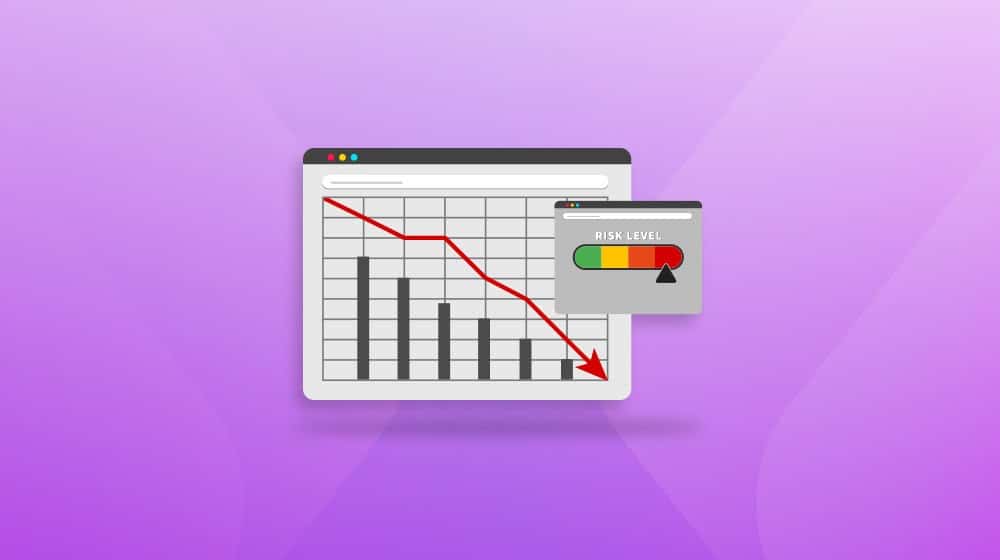
There's a sort of mythology to the internet as a website owner. Websites come in a few different kinds. The ones that burn bright and hot, short-lived viral sensations that explode onto the scene and disappear just as quickly. The ones that live indefinitely with low traffic, low interest, and low effort, never trying to be anything more. And the ones that grow over time, slowly but surely, where hard work and sustained effort can bring you to the big leagues.
Most people don't actually think about the internet this way, but these kinds of categories sit in the subconscious and set expectations. Especially in marketing, you hear terms all the time that bring to mind this slow and steady image. The tortoise and the hare analogies, references to snowballs and avalanches, the list goes on.
All of this means that as you work to grow and build your website and your business, you have this expectation of growth despite everything. And, honestly? A lot of the time, it's borne out. Sites do grow over time; slow and steady does win the race (inasmuch as it can ever be won, of course), and often, consistent effort is all it really takes.
It's far from a sure thing, though. Anyone who has ever gone through one of the big Google updates and has seen a sharp, significant drop in traffic can attest to it.
Traffic drops are terrifying, and there's only so much you can do to insulate yourself against them. You can, however, work quickly for a response, to identify what caused a drop and what you can do to fix it.
That's why I've put together this post. Between my clients and, yes, my own sites, I've experienced more than my share of traffic drops. I've developed this process over the last decade, and it works pretty well. It's eight steps, and while each step can be somewhat involved, it will get you where you need to be.
So, let's get right to it.
Key Takeaways
- Classifying the traffic drop first-sudden vs. gradual, source-specific vs. general-helps guide where to investigate next.
- Around half of sudden traffic drops stem from technical or reporting issues, not serious SEO problems, and are often easily reversible.
- Google algorithm updates are a frequent cause; cross-referencing your drop date with update histories from SEJ, Moz, or Search Engine Land helps confirm this.
- AI Overviews are increasing zero-click searches, meaning sites ranking well may still lose traffic without any ranking changes occurring.
- If standard causes are ruled out, check for technical regressions, ended PPC campaigns, hosting outages, or brand reputation issues.
Step 1: Classify Your Traffic Drop
The first thing you want to do is figure out what kind of traffic drop you're seeing. The characteristics of the traffic drop can tell you a lot about what kind of cause might be involved, and that helps you work on a solution.
Is it a sharp, sudden drop, or something that has been slowly declining and you only just now noticed? Sharp drops do happen, of course, but I've also had clients come to me in a panic over a drop in traffic, which was actually a year-long slow decline, but the executives hadn't been paying attention, so all they saw was the comparison in reports from last year to this year, so it looked very sudden to them.

Is the traffic you lost attributable to a specific source? There are a few reasons why this could be the case.
- Maybe you were getting a lot of traffic from a particular country, and lost that traffic for some reason.
- Maybe you were getting a lot of traffic from a specific referral source, and that referral source has changed or dried up.
- Maybe you were running ad campaigns that were bringing in a lot of traffic, but due to low click rates or low budgets, you stopped the campaign.
- Maybe you were counting bot traffic that is now being appropriately filtered.
- Maybe your site is seasonal, and you're comparing an annual high point to an annual low point, when you're higher than you were at this point last year.
And, of course, it could be general traffic across all sources.
One of the most common causes here is sites that get 90% of their traffic from one specific high-performing post, and something happens that makes that post not as prevalent anymore. The bot thing is also pretty common, in my experience.
The characteristics of the drop in traffic will tell you where to look. For example, a sudden and total drop could indicate a severe manual action, or a technical issue that broke your reporting. A drop in a particular kind of traffic like paid traffic or referral traffic will point to an issue with that specific source. It guides where you look next.
Step 2: Check for Technical and Reporting Issues
In my experience, somewhere around half of the sudden, inexplicable traffic drops I see are caused by a technical issue rather than a serious problem. Often, it comes up because the marketing and reporting team is different from the web dev team, and some change breaks the reporting. For example:
- A website update or redesign failed to properly implement Analytics tracking code, so after the date of the roll-out, no more traffic is recorded.
- Changes to local robots.txt or .htaccess files in an effort to block bots or bad traffic have left the site largely inaccessible.
- An update to your analytics platform changed the way reports are generated, and the old report style no longer works.
Even things like misconfigured caching plugins, security plugins, Cloudflare implementations, and the like can cause sudden drops in traffic in an easily reversible way.

One relatively new problem I've seen crop up that I'm going to classify as a reporting issue is the use of certain kinds of AI for reporting.
Now, a lot of the analytics platforms are using AI now, whether it's for classifying and filtering bot traffic, or for developing reports, or whatever else. Those are… fine, I guess, though they don't necessarily add much value for most people.
The one issue I've seen occasionally is executives or managers who think the AI can do anything, and just go to something like Claude or ChatGPT and ask for their traffic reports and trend data. Since the AIs are designed to answer questions as best they can, even if they don't have real data, this can generate "reports" that are basically fictional.
It sounds like nonsense, but I've seen it happen. Just make sure the data you're using to draw conclusions is actual data.
Step 3: Check the Search Console for Manual Actions
People talk about "Google search penalties" a lot, and they can mean one of two things: either an algorithmic change, or a manual action. Technically speaking, only manual actions are penalties; algorithmic changes are just shifts in how Google views your site and your niche.
I'll get to the algorithmic changes in the next step, so for now, look for manual actions.
In your Search Console, find the manual actions report in the sidebar. Manual actions are punishments Google implements when they identify that your site has some kind of issue they want to see fixed before they put you back in your position in the index. Usually, they're things like violations of spam policies.
The manual actions report will show you what penalty Google has implemented, what pages demonstrate the problem, and even give you some steps on how to fix it. They generally believe your site is worth having around (which is why they haven't just deindexed you and called it a day), but they can't keep you as-is.

The good news is, you can fix a manual action, request reconsideration, and get back to where you were, more or less. The bad news is, reconsideration can take time, and some of these issues can be hard to fix.
Manual actions include things like:
- Hijacking the browser back button
- Your site is full of third-party or user-generated spam
- You're using structured data in an incorrect or inauthentic way
- You have unnatural links from your site or backlinks to your site
- You use cloaking, sneaky redirects, or other hidden content in a spammy way
Google has a full list at the link there, and like I said, they'll tell you what the problem is. This one isn't a guessing game.
One of the more common reasons for a manual action, by the way, is having your site hijacked or hacked. A lot of site hackers these days don't outwardly compromise a site, but will add sub-sub-sub-pages to use as spam redirects, insert near-unnoticeable links to make you part of a PBN, or otherwise abuse your site in a hard-to-detect way. It can be really tricky to deal with!
While getting a manual action is bad, at least it's an easy explanation and something you can fix without issues. It's not usually the problem, though.
Step 4: Check the Google Update History and Cross-Reference Dates
Most websites get most of their traffic from Google search. That's just kind of the way the internet has evolved over the last 20 years. While there are arguments to be made about the slow dissolution of Google's dominance, especially in the age of AI and the general decline in utility over the last few years, that's a subject for another post.
The fact remains that a majority of your traffic still comes from Google, and that means when Google changes something, those changes can affect you in pretty significant ways. It's not a stretch to say that a Google algorithm update can make or break a website.
Sudden traffic drops are frequently attributable to some change Google made. Google publishes their biggest algorithm updates in an attempt at transparency, but they also make a lot of changes that either they don't talk about for a while after the fact, or don't even acknowledge at all.

Fortunately, big data companies are able to watch analytics across hundreds of thousands or millions of websites, and can see when these updates happen from the effects they have across the sites they watch. There are minor tweaks and adjustments nearly every day, but larger updates at least on a monthly basis.
Look at your analytics, look for the date when your traffic took a hit, and cross-reference that date with the date of any nearby Google updates.
Pick your poison here, really. All of these are going to have basically the same data, so it's really down to which site you like and trust more. There are a bunch of others that copy this data too.
The bad news is, algorithmic penalties aren't actually penalties; they're a new way of looking at the index. That means there isn't usually an easy road to recovery. You need to figure out what the algorithm was targeting, what Google takes offense to on your site, and how you can better match what they're hoping to get out of websites. It's one of the most common, and also most difficult, kinds of drops in traffic to handle. If you suspect a spam-related update was involved, it's also worth looking into which SpamBrain recovery strategies actually work.
Step 5: Check for Competition for High-Performing Content
Competition is frequently a cause for a drop in traffic, and it's also one of the hardest to handle, because you can't exactly attack and undermine your competition; you just have to find a way to outdo them.
Sites where 90% of their traffic come from a few high-value posts are most vulnerable to this. If a competitor spins up a direct competing post to your best-performing posts, even sapping 10% of your traffic from it can be devastating.

Start by checking your search rankings over time, both for your site in general and for your top-performing posts specifically. Look for cases where there are sudden dips, particularly centered around specific keywords.
Then, search for those keywords and look who comes out on top. Even if you're still #1, if a very attractive #2 has cropped up, that can siphon away some of your value.
You can look for other bits of data that indicate increased competition, too. Compare your search result impressions and your click-through rate; if your impressions are still high but your clicks are low, it could be competition.
You should also do a general competitor review if it's been a while. Maybe some old competitors have pivoted away or dropped from the race. Maybe new competitors have popped up. The landscape is always changing, so you want to be aware of what's going on. It's also worth reviewing what constitutes a good CTR in Google Search Console so you have a meaningful benchmark to compare against.
Step 6: Evaluate Referral Traffic Sources
The next thing I typically look at is changes to backlink profiles and traffic referral sources over time.
Generally speaking, if you're getting a lot of traffic from referral sources, it's from one of a few origins.
- Social media, like Facebook, Instagram, Bluesky, TikTok, or what have you.
- High-value backlinks from industry leaders in their evergreen posts.
- Coverage in relevant news outlets.
You'll probably know if you're getting a lot of value from a specific referral. Either it happened because you put effort into the outreach and fostered it in the first place, or it happened organically and you've since worked to foster it.

Things change, though. Maybe that evergreen post reviewed its links and found newer sources. Maybe your social media has been lax, or the platform you're using has issues, or your account was suspended. Maybe coverage has tapered off.
Check for lost backlinks and other issues stemming from referral sources, and see if you can figure out why those referrers are no longer referring.
Step 7: Check for AI Overview Siphoning
One of the big ones today is just that Google has unfortunately started taking the value from websites to use themselves.
AI Overviews feel like they sprang up out of nowhere, but Google has been testing them for a while. They're unavoidable now, and a whole subset of marketing has sprung up just to get your site featured in the AI Overviews.
The trouble is, AI Overviews are designed to answer questions, not provide links to places where a user can have their questions answered. Ostensibly, it's more valuable to a user; they don't need to click through, wait for another site to load, read, interpret, and come up with their answer. The AI does that for them.
That means an increasing number of queries result in zero-click searches, where the user searches for something relevant to you, can see your result in the SERPs, but just reads the AI Overview instead. Even if it's citing your site as the source of the information, the chance of a user clicking through is slimmer than you'd hope.

The big takeaway from this trend is that simple informational queries aren't nearly as worth pursuing anymore, and you need more deeply analytical and relevant content to be worth clicking through to now. That, too, is a discussion for another post, though.
The big challenge here is how to adapt and make use of zero-click searches. It's a new way of thinking about SEO, and it's something we're all still figuring out.
Step 8: Other Causes When All Else Fails
If you've gone through everything else above and you still can't figure out why your traffic dropped, there are still some possibilities. They aren't higher on the list because they're long shots, but they can happen, so it's always worth bringing them up.
A big one is regression.

Technical regressions are cases where you've made improvements to your site over time, but some recent update failed to take them into account and removed them without you realizing.
- Maybe you had some really good Schema and an update left it out.
- Maybe you implemented rel="canonical" tags across your site, but in some data update they got changed to point at the wrong pages.
- Maybe a bunch of system pages you formerly noindexed are now visible, so your site looks like it's full of thin content.
- Maybe something critical like your sitemap changed locations and you didn't update Google.
Another common one is one I mentioned in step 1: a PPC campaign ending. One of the most common culprits here is actually budget limits; your site spiked in interest, which burned through your budget, and then your campaign cut off early.
Similarly, you should also consider checking for brand reputation issues. Sometimes an angry ex-customer decides to go on a campaign of bad reviews, and that can hurt your site for a while until you clean it up.
Web host issues or infrastructure issues are also common. I've seen sites take big hits when Cloudflare has localized outages, AWS has outages, Azure has outages, or their web host has speed or access problems. This is especially problematic with thousands of AI crawler bots out there ignoring robots.txt and near-DDoSing sites now, too.
Another thing worth considering is if there's some external event that redirected traffic for one reason or another. Maybe a major news event, good or bad, happened in a city that shares a name with your brand. Maybe something in your industry is drawing a lot of attention elsewhere. Maybe a competitor went viral with something you can't match and drew a bunch of eyes.
Regardless of what your investigation leads you to, this entire 8-step plan is just the beginning. Once you know why your traffic dropped, then the real work begins, and trust me; fixing a drop in traffic is definitely a lot more work than just identifying why it happened.

Written by James Parsons
Hi, I'm James Parsons! I founded Content Powered, a content marketing agency where I partner with businesses to help them grow through strategic content. With nearly twenty years of SEO and content marketing experience, I've had the joy of helping companies connect with their audiences in meaningful ways. I started my journey by building and growing several successful eCommerce companies solely through content marketing, and I love to share what I've learned along the way. You'll find my thoughts and insights in publications like Search Engine Watch, Search Engine Journal, Forbes, Entrepreneur, and Inc, among others. I've been fortunate to work with wonderful clients ranging from growing businesses to Fortune 500 companies like eBay and Expedia, and helping them shape their content strategies. My focus is on creating optimized content that resonates and converts. I'd love to connect – the best way to contact me is by scheduling a call or by email.




Comments