
12 Ways to Update and Refresh an Old Blog Post for SEO
Written by 

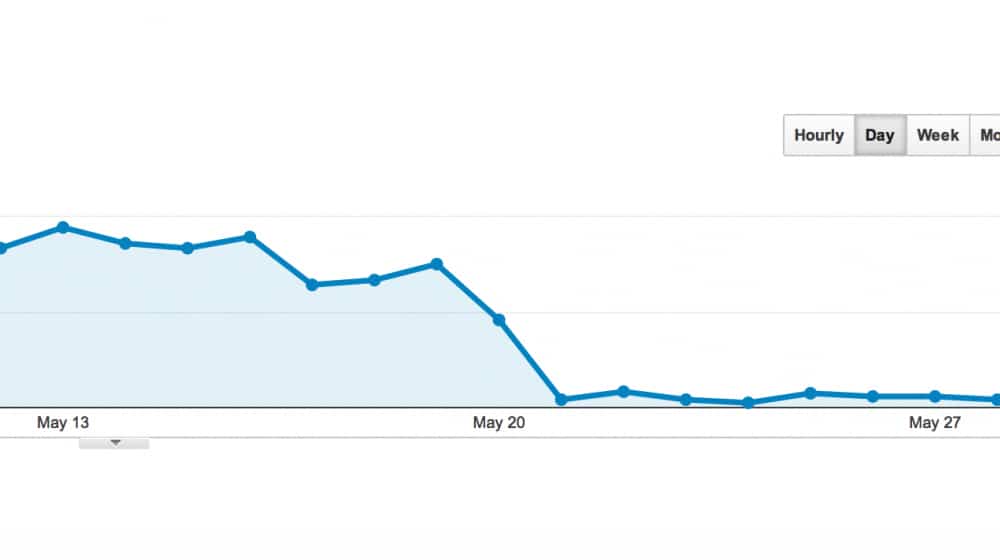
After you've been running a blog for a year or so, you might see a pattern. Content tends to drop off pretty quickly over time. Your most recent posts do the best. But after a few weeks or a few months they drop off to low levels of traffic.
Some posts continue to drop off until nobody visits them any more. Some posts stabilize at a low level of traffic, bringing in a few hits every day/week/month. But not more. Some, of course, are those viral evergreen pieces we all want to create, with spikes of giant traffic and a high baseline every day.
The old 80/20 principle comes into play here. 80% of your traffic comes from 20% of your blog posts. So you'll have to decide what to do with the rest of the old posts.
Some ignore them. They are out there and they're link bait and they're a back catalog. But they're not worth doing much to. Others delete them, purging the worst content from their catalog and making their whole blog look stronger, albeit smaller.
I'm here to tell you that probably the best option is actually to update them.
Key Takeaways
- Updating old posts signals to Google that you maintain your content, which can improve SEO rankings alongside new posts.
- The 80/20 rule applies to blogs-prioritize refreshing posts that previously had traffic or are ranking just outside the top ten.
- Practical refresh tactics include updating information, embedding videos, combining similar posts with 301 redirects, and rewriting in your modern style.
- Reader comments are a valuable, often overlooked source of new content ideas when expanding and refreshing old posts.
- Placing key information above the fold improves user experience and is increasingly rewarded by search engines in 2025.
Why You Should Refresh Old Content
There are a few possible reasons why you might want to refresh old content instead of just writing all new content all of the time. Here are my top reasons.
It's a Google ranking factor. Google likes to know that you care for your old content. Or Google likes to give the most up to date content to their audience. Newly refreshed content is as effective as brand new content as far as they're concerned. In some cases it's even better, because it has a history of being helpful. Refreshing old content can improve your site SEO.
It gives old content another wave of publicity.You can update a piece of content and set an "updated X/X/X" date line on it, then circulate it through your usual promotion engine. Send it through your newsletter, publish it on social media and so on. A new influx of users will be able to give it new comments, new links and new attention.
People trust updated content more. Even if the information hasn't changed, it's still valid to keep it up to date, because most are going to gravitate to the most recent version of a piece of information. They just want verification that it still works or is still valid - even if it hasn't changed in years. If you've ever tried to find a blog post's publish date when it's hidden, you know how frustrating undated content can be.
It saves you a lot of effort. You know how much work it is to write a new blog post? Of course you do. When you update and "republish" an old post, you get the benefit of "new" content to fill a slot in your editorial calendar without the need to actually produce entirely new content.
So the question becomes: how can you actually do this? How can you pick an old post and refresh it for a new audience? Here are my tips.
1. Determine What Content Needs Updating
Your first step, before anything else, is to choose which content is worth updating and which is beyond help.
Some work to refresh their content on a schedule. A year or two after publication they start at the back of the archive and just work their way forward, interspersing updates with new posts. Personally I find that's wasted effort. There will be content that won't benefit from an update, content you can't figure out how to update and content that deserves more attention than an easy annual pass.
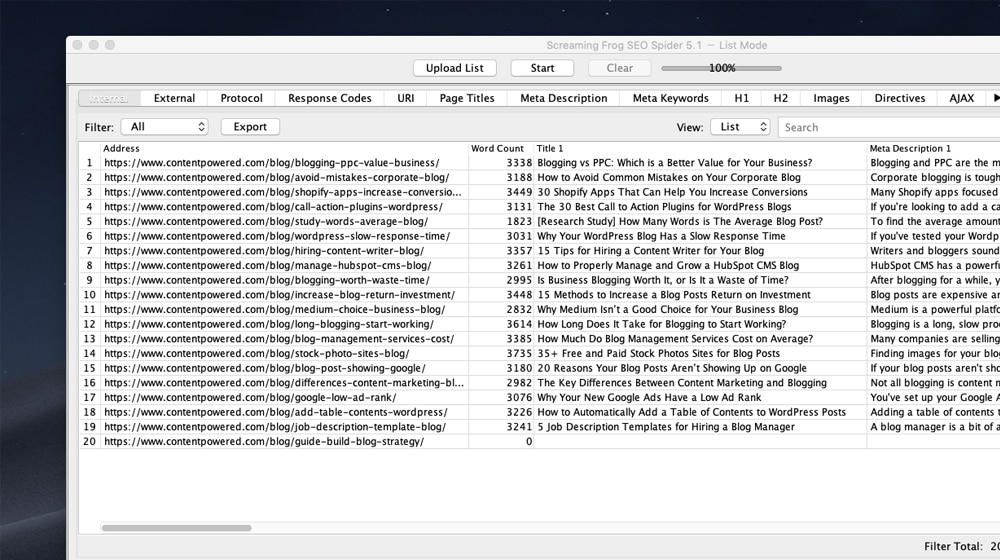
Mostly what I look for when looking at old posts is seeing if they meet any of these criteria:
- The post used to get traffic but that traffic has dropped off. Note that if the traffic drop-off was sudden, you might look for a competitor that started eating your lunch. If it was long and gradual, it's more likely just the effects of age. Either way, it's a good target.
- The post still gets plenty of traffic. Just because an old post is still doing fine doesn't mean it's not a good target. In fact, you can make it better, give it more promotion, and get that much more benefit out of it.
- The post covers a topic that is still relevant today. For example, I won't get a ton of benefit updating a post about the launch of a new Instagram marketing tool that is now mainstream. Conversely, I could take an old post about Google pushing towards more of a mobile focus and turn it into a bit of a retrospective and look ahead post.
- The post is a great resource for a fast-moving situation where up to date information is most beneficial. Google's algorithm changes are a good example of this. Google is constantly changing, so keeping on top of their changes with valid SEO advice can create an excellent guide.
- The post has a lot of authority, links, and information, but is ranking lower and lower over time. This means there's valid information in the post and Google would love to rank it higher, but other content is taking its place. By updating to be more competitive, you can regain your place.
- The post has a tangible goal for your business. A fluff piece, even if it garnered some attention when it was published, probably isn't too useful. A piece that consistently refers new customers is a great target because you get more than just rankings and traffic, you get sales.
The ideal situation is to find a post that is ripe for relevance if you only update it, to kick it from the 10-30th place on Google to the top ten. That's where you'll get the most tangible benefit. From there, you can work on the next easiest post to improve and so on down the chain.
On the other hand, some posts simply aren't worth updating. Most often, I find this is true of posts that focused on news or very time-sensitive information. If your post was writing about, say, some outage with a product or service your industry uses, it's not going to be relevant information to update. In fact, trying to update and republish it might make users concerned about a new outage.
You might also look for old content that no longer meets modern SEO standards. Some of this content can be refreshed to be longer and helpful but some of it may be too short, too basic, or just not good enough. That content might be holding you back and can be valid to delete.
Once you have a list of posts that are worth improving, here are ways you can do it.
2. Update a Resource Guide with New Information
The simplest and easiest way to update an old post assumes that the old post is some sort of guide, resource or informative post. Your goal is easy - make sure that the information contained in the post is up to date.
Anything that is old and out of date, you have two options. You can keep the old writing and add a new section explaining the new information, or you can delete the old section and write a new section in its place.
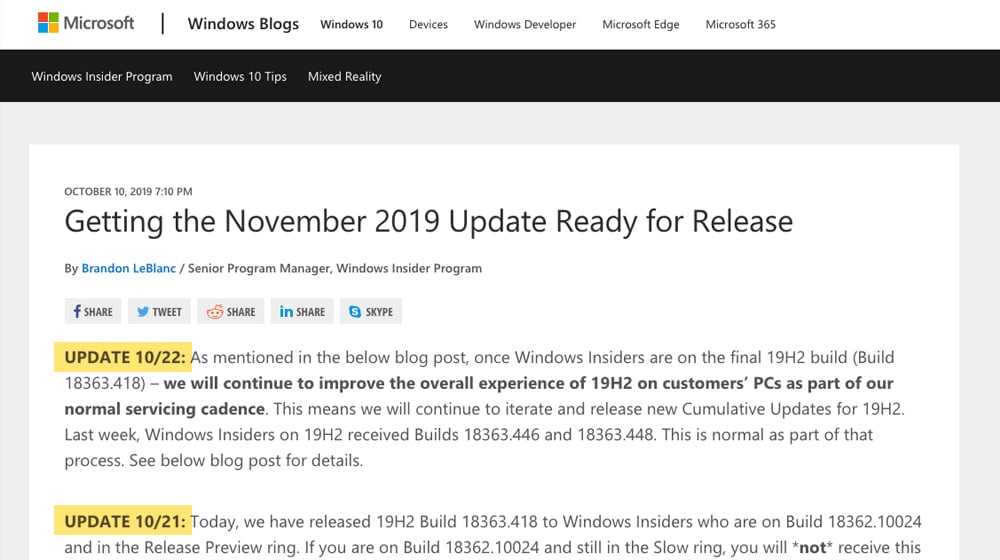
I like to keep the old section around for two reasons. First it can become helpful as a historic look at the topic, to see how it has changed over time. Second it buffs up word count and keeps the post growing instead of changing.
It's also possible that something in the old section was an important word that was allowing your post to rank. Removing it might jeopardize that bit of ranking - even if the post performs better across a number of queries.
You can do other minor rewrites to rephrase old content that's still valid, or you can leave it alone.
This as a whole only works if your post is informational or maybe a tutorial or guide. Other formats might not work as well for the easy "update the information" strategy.
Once you update the information, it can be a good idea to add a new line at the top saying, in bold, "This was last updated on X date" so any new visitors know that the information is kept up to date, more or less. You can use a text comparison tool to quickly see what changed between your old and new versions, and running a content decay check afterward can help confirm whether the updates had a positive impact on performance.
3. Keep a Chronicle of News History
A news-based post is not going to be worthwhile once it's no longer actually news in most cases. This is a standard problem that's slowly killing journalism and it's why so many newspapers are either going paywalled, shilling for anyone who will sponsor a post or just collapsing altogether. It's also why the definition of "news" on those sites is very, very large and why the content on news sites ends up being little more than clickbait.
There's one way you might be able to get an old news post to turn into something worthwhile - it's turning it into a chronicle of the news about that subject. Starting from when you wrote the post, work your way towards the present and log anything noteworthy that has happened to that news.
Maybe a new product launched and you covered the launch with speculation about it. A year later, you can update your post and change the title to something like "Product X Launched a Year Ago - How Did It Do?". You can then analyze your predictions and see how they fared.
There's two examples of something like this that I like. They're from Moz.
The first is Rand's old series on predictive SEO predictions. Every year - up until he stepped down to pursue other projects and blog for Moz on the side - he would write a post predicting SEO developments in the coming year, while also analyzing how his past predictions fared. It was quite interesting and I'm a little sad to see it go.

The second is their Google Algorithm Update History. Moz monitors what Google does, and whenever a big shakeup occurs in the search results, they record it and figure out what it may be. They monitor things like the Google search liaison Twitter and the Google blogs for more information as well.
Will you be able to pull this off? Frankly, probably not. It's often more work or requires more resources than you can dedicate to it. Still, if you have the opportunity to do it, it's the kind of evergreen page that can be a huge pillar of links and traffic for as long as you can keep it up. If you're concerned about whether existing content is pulling its weight, a thin content detector can help you identify pages that may need this kind of in-depth treatment.
4. Write a New Version and Link to Part 2
Another simple strategy works when the old post is too far gone to salvage, but you can write a new post on the same topic with all-new information. Simply write and publish that new post. Then go back to the old post and add a big disclaimer at the top. "This post is out of date! For new, up to date information, click here!"
5. Add Fresh Content Addressing Comment Topics
Once your blog is old enough to be concerned with refreshing and recovering old content, you probably also have a bit of a community going, and comments on your blog posts. A lot of those comments are going to be boring or valueless, the usual "thanks for writing this!" kinds of comments. Some, though, might ask valid questions or bring up tertiary topics you didn't cover.
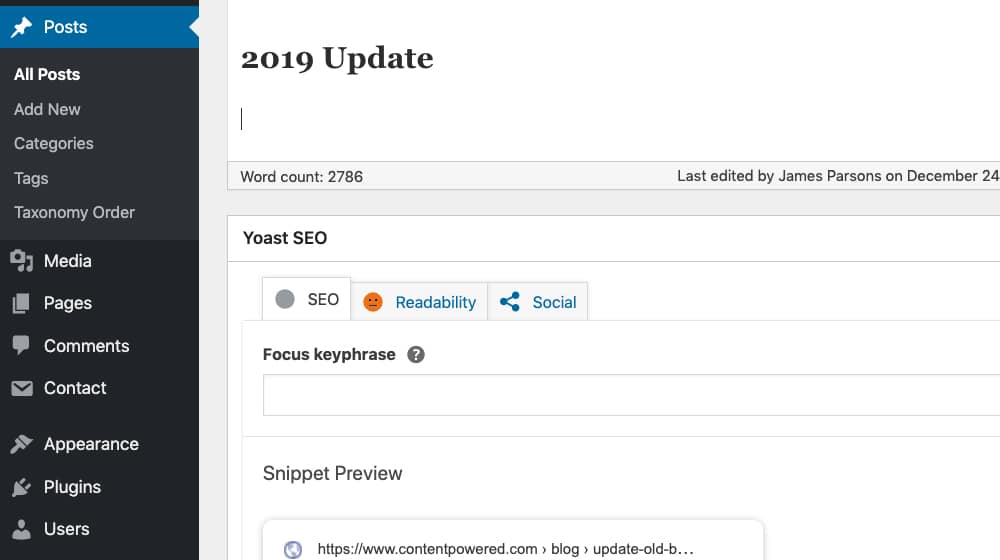
Initially I recommend responding to those comments when they happen, because it's a great way to keep your community engaged and add more value to your post. However, later on when you want to refresh the post, it can be a good source of more content. Look at those questions and topics from the comments, and address them in new sections in the main post. It also helps to move and manage comments across your WordPress posts so you can see what's changed over time. Viola! New content.
6. Expand the Scope of the Post to Tertiary Topics
Similar to the above, you can do the same thing with tertiary topics even without comments to lead you there.
My favorite way to do this is to think about any posts that have been published on those tertiary topics in the time since the main topic was published. Find those new posts and write short sections in the old post with information introducing the topic. Then link to the new posts, with a a "if this interests you, we wrote more about it here" kind of link. For example, if you run a WordPress site, you might add a short section pointing readers to something like how to display commenter photos in a WordPress post or how to automatically share WordPress posts to Medium - topics that weren't relevant when your original post was written but are now worth covering.
7. Refresh the Meta Information
Refreshing meta information is a great way to get Google to give your content a second look. If your content is old enough - like, several years old at this point - the meta data might have been from before Google expanded the meta data character limits. You will have more space to add more descriptive data to your posts. You can use a meta tag extractor to quickly audit what's currently in place across your posts.
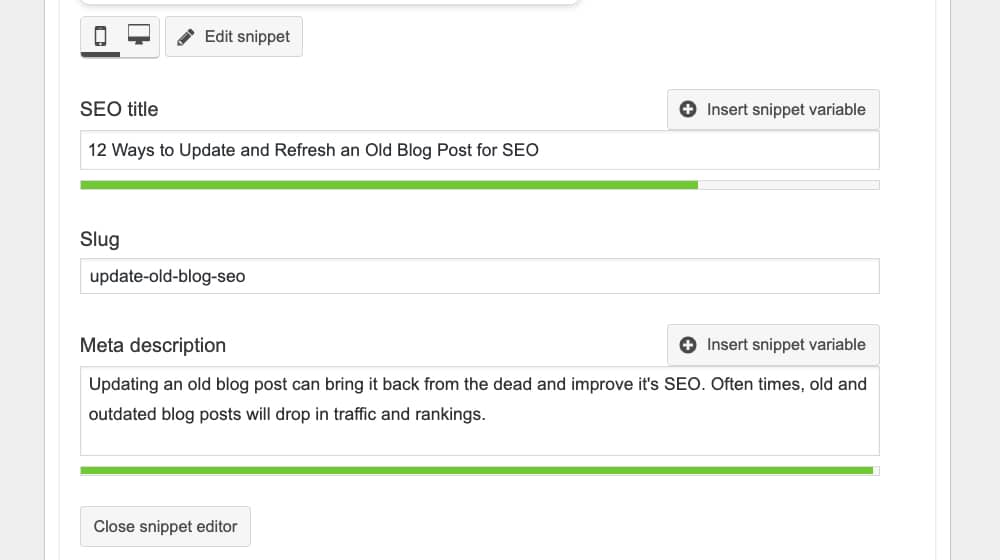
For much older posts, you might even have old no-longer-best practices in play. For example, no one uses the meta keywords field anymore, and Google considers it a sign of someone who doesn't know what they're doing. Removing that data from ancient posts can actually help. If you're also concerned about how advanced custom field pages affect your SEO, it's worth auditing those alongside your meta updates.
8. Address or Rebut Competing Content
You aren't publishing in a vacuum. As you're writing new content, so too are your competitors. Remember up above when I mentioned that sometimes your old content will lose traffic abruptly because a competitor wrote their own version? This sucks. But it's also an opportunity.
Look at what your competitor is saying and address their points. Convert your original post into an expanded rebuttal to their content. One-up them as much as you can, address their problems, argue for or against their points and usually improve upon your old post and their post. Take your lunch back and don't let them just eat it in front of you. If you're struggling with the quality of your content output, it may also be worth considering the writing strategies you're using and finding ways to improve before looking for a better partner.
9. Produce and Embed a Video Version
I often like to promote the idea of repurposing a blog post into other forms of media, such as podcasts, slide decks, and infographics. Video is also a good use for evergreen content.
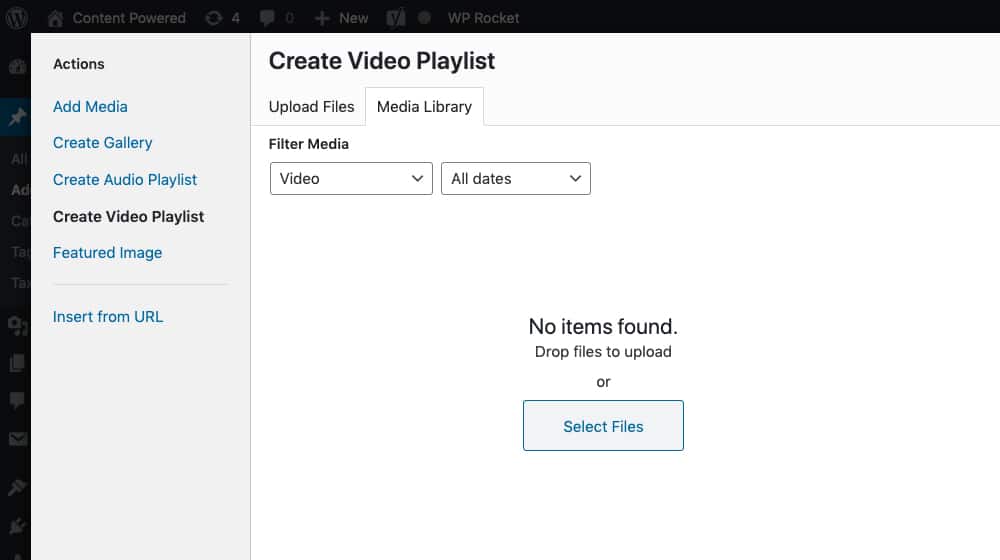
This works best for old content that you can't really find a way to improve simply in writing. Create a video version and post it on YouTube, embed it in your blog post, and link to the post from the video. Videos are often circulated in ways blog posts are not - and using video can also improve your SEO rankings. To help search engines better understand your embedded video, consider using a video schema generator to add structured data markup.
10. Rewrite in a More Modern Style
Even if you're not intending to change your writing style, you are. You can look at posts you wrote 3 or 4 years ago and barely even recognize yourself writing them. They use turns of phrase you don't use anymore and sentence structures and tones of voice you're not comfortable with anymore and so on.
It will cause a disjointed experience for readers who are used to your modern voice when presented with a post from 2 or 3 years ago that you updated. Cover the same information, maybe update your sources and usually just adjust the style to match your latest blogging voice. If you need more help, our content rewrite service can also help modernize older posts to better reflect your current style.
11. Combine and Redirect Multiple Posts
When you have numerous old posts on similar subjects, or even on the same subject, it might not be worth updating any single one of them. Instead, look deep into each one of them and distill them down to the nuggets of unique information in each.
Write a new post that combines all of the value - and all of the keywords - from each of the old posts, hopefully into one great new resource. Then go back to the old posts. You can do the same top-bar link like up in number 4, or you can just implement a 301 redirect. Which route you take is up to you. You can use our .htaccess Redirect Generator to set these up quickly, and then verify everything is working with our Redirect Chain Checker.
12. Monitor and Engage with Comments
I already mentioned monitoring your comments, but it's worth taking the time to go back through your comment backlog. I know I'm guilty of sometimes letting comments on old, low-traffic posts pile up in the moderation queue. I ignore them because I have a lot of other stuff to be doing, and the posts aren't getting much traffic anyway, so I let them linger.
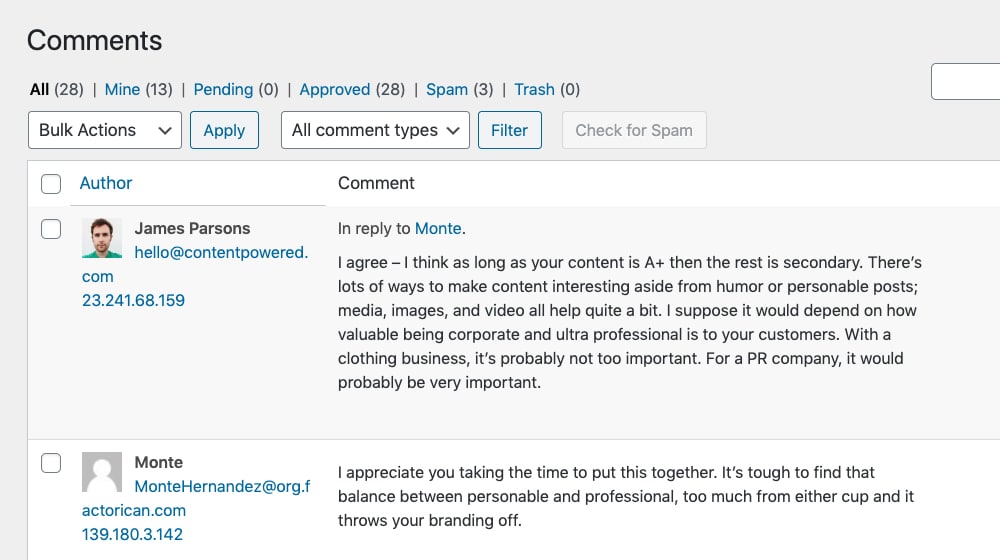
Even still, it's a good idea to moderate, publish, and even respond to old comments when they can add value to the post. Remember, comments add value to the post, and Google indexes them and uses them for your benefit. Keep that community growing - just be aware that Akismet doesn't catch all comment spam, so review your moderation queue carefully.
Bonus: Add Content Above The Fold
In 2025 and moving into 2026, it's increasingly important to get users their information faster.
Content that is buried under thousands of words is no longer ranking well because it's bad for user experience. If someone wants to know if Season 2 of their show is coming out, they don't want to try to find the answer in a 2000 word article. They want to know right away. So put it at the top of the page - it's beneficial for user experience and search engines will reward it. The August 2024 Core Update made clear that sites burying content under excessive fluff or ads are losing traffic fast.

There are a bunch of ways to do this. You can do it with a plugin or you can simply write it in as you update your posts. It's up to you. I think a little formatting goes a long way too. You can have some fun with it and this absolutely helps you with updating posts. Especially since some posts are kind of tough to update - this is an addition that every blog post can use! You can also use a blog outline tool to make sure your updates are hitting the right marks before you publish.

Written by James Parsons
Hi, I'm James Parsons! I founded Content Powered, a content marketing agency where I partner with businesses to help them grow through strategic content. With nearly twenty years of SEO and content marketing experience, I've had the joy of helping companies connect with their audiences in meaningful ways. I started my journey by building and growing several successful eCommerce companies solely through content marketing, and I love to share what I've learned along the way. You'll find my thoughts and insights in publications like Search Engine Watch, Search Engine Journal, Forbes, Entrepreneur, and Inc, among others. I've been fortunate to work with wonderful clients ranging from growing businesses to Fortune 500 companies like eBay and Expedia, and helping them shape their content strategies. My focus is on creating optimized content that resonates and converts. I'd love to connect – the best way to contact me is by scheduling a call or by email.







March 17, 2020
I have a few hundred posts that have dropped in rankings, should I update all of them? It will be a lot of work and cost a lot of money so I'm wondering if I should put that money towards new content or rewrite my older posts. Any advance you have for me is appreciated. Thank you.
March 22, 2020
Hi Tony! I recommend starting an Excel or Google Docs spreadsheet and listing all of your posts, then going down the list and reviewing each one. What is the word count of each post? How significantly did traffic drop over time? How many backlinks does each have report on Ahrefs.com? Is the post generally high quality and does it pass your "sniff" test, or is it low quality and a cadidate for deletion? Did any new information come out in the past year that should be added the post? Is it indexed on Google at all?
Once you have this info, you can sort by the posts with the largest traffic drop and start with those first, as they are the low hanging fruit. If any posts saw a massive drop, I recommend rewriting the posts. If a post has no backlinks and isn't indexed at all, you can delete it. If the post is generally low quality and doesn't pass your sniff test, I recommend deleting it. If a post has great backlinks and good content but just dropped in rankings eventually, I'd add some more content to the end of the post to bring the post up-to-date.
I don't think adding more content to each post is the right move; you want to thoroughly review each one before making those kinds of decisions. It's a pain to do, but it's going to be well-worth it in the end, and you can make your decisions with confidence since they will be backed by data.
Hope this helps, and good luck! If you need any help with this, feel free to drop me a line 🙂
June 27, 2022
Not the original commenter but I appreciate this response a lot! I have the same dilemma and starting with creating a master spreadsheet will be a good place to start with. 🙂
May 17, 2020
It's also important to consider how relevant a post still is today, if you're talking about old or outdated technologies the post is going to confuse visitors and won't perform. Example, if you're telling people to share their content on Google Plus, that social network has since been shut down, so it's no longer relevant. The rest of these tips are very useful and well-written.
May 17, 2020
Hi Jose! I agree completely, we touched on relevance a bit in item #1 but I couldn't agree more, when reviewing old content, it should always be brought up-to-date so you're not mentioning data or content that is no longer accurate or misleading to users.
August 13, 2020
I was actually thinking of updating my old blog content but I am not sure what to do. This helps me a lot. I think keeping the old content and just putting "update and the date" works best for me. Thank you for sharing this!
August 14, 2020
Hey Muhammad, happy to help 🙂 I think updating a blog post is mostly necessary if new information has come to light since you've last posted it. I see some bloggers updating a post just for the sake of updating it or for SEO purposes, but if it doesn't add value or any new information, it is probably a waste of time. If there's been new discoveries since you've written about it, updating your blog post can help quite a bit! Good luck.
November 08, 2020
Hey! Thanks for this valuable post. I am just curious if its possible to combine 2 old posts which is somehow linked to each other? How is it done?
November 09, 2020
Hey Mary! I recommend finding out which post is doing better (links, traffic, social shares, comments, etc) and use that post as the primary one. Take the content from the other post and add it to your primary post, then delete and redirect that post to it's new home. We just wrote an article on some safe ways to delete and redirect your old post:
April 26, 2021
If I combined 3 old posts with connected topics and use a 301 redirect, does the ranking it had before remain or it will be treated as a new post?
April 29, 2021
Hi Jean!
It depends where you're redirecting it.
If you're merging those 3 old posts into a brand new post, it won't have the same rankings it had before (at least, not for a while).
If the three posts are all very similar, I would pick the one that is performing the best, and redirect the others to that article.
You can take the best parts of the other articles, as long as they aren't mentioned on your primary post, and carefully add those pieces to the merged article.
Merging articles like this is surprisingly difficult. You very rarely can just copy and paste bits from one post to another and call it "good". You'll want to make sure each section makes sense contextually. Read the final product from start to finish a couple of times, and adjust as necessary.
If it seems stitched together or it flows weird, you'll have to rework it until the article is better than it was before.
Generally speaking, though, your original rankings should remain fairly stable with this method. Search engines encourage merging similar pages into a single resource like this. Your rankings may drop temporarily, as search engines are very sensitive to major changes like this, but they should eventually recover and grow stronger. Check once a month for 3-6 months and evaluate. If your rankings haven't improved or if they've dropped, you may have accidentally made the article worse (at least in the eyes of search engines).
October 04, 2023
I would also like to add that content-powered marketing is a long-term strategy.
October 09, 2023
Hey Tarhib!
I couldn't agree more. For that reason I consider it an advanced marketing strategy. It's definitely not for everyone.
November 26, 2023
"Write a new version link 2 new" perfect idea I needed to help me stagnation in refreshing my old content. Thank you for an excellent article.
November 28, 2023
Nice! Happy to hear it 🙂
June 13, 2024
Thank you for your strategy. Do you update related/similar topics with declining data in order? Or do you just update content with declining data randomly?
June 27, 2024
Hey Maggie!
I try to tackle things in order of priority. The posts that need the most attention or that will benefit from updates the most will usually get updated first. If a post has never really been a top performer and it needs an udpate, it will be towards the bottom of my list.
There's no wrong answer though - as long as you're doing this kind of housekeeping, you're already a step ahead of most!